# Send IDRX

Bridging allows you to transfer your IDRX tokens from one network to another. Check [this page](https://docs.idrx.co/introduction/supported-chain-and-contract-address) to see the list of chains where IDRX is available&#x20;

By following these instructions, you will bridge IDRX. Here's how to Bridge IDRX:

{% hint style="info" %}

* The balance will be processed and credited to your wallet address max 24 hours after your request is submitted.
* Minimum transaction is 20,000 IDR.
  {% endhint %}

**Accessing the IDRX Dashboard**

1. Visit the [home.idrx.co](https://home.idrx.co/) and click the **Get IDRX** button

   <figure><img src="https://3627254584-files.gitbook.io/~/files/v0/b/gitbook-x-prod.appspot.com/o/spaces%2FaxcQeErhSMXyyLFdF0D5%2Fuploads%2FX9iKxFKa12HZeDGewB6o%2Fimage.png?alt=media&#x26;token=afebadf3-4666-4bdf-ad12-a96c62f72720" alt=""><figcaption></figcaption></figure>
2. Enter the registered email address and password. Then, press the **Login** button.

   <figure><img src="https://3627254584-files.gitbook.io/~/files/v0/b/gitbook-x-prod.appspot.com/o/spaces%2FaxcQeErhSMXyyLFdF0D5%2Fuploads%2F6G5enx1WauChVHKfO8Ud%2Fimage.png?alt=media&#x26;token=c1fc1508-f020-41a3-9cc6-8d394e76c2fe" alt=""><figcaption></figcaption></figure>
3. Once logged in, navigate to the Redeem tab

   <figure><img src="https://3627254584-files.gitbook.io/~/files/v0/b/gitbook-x-prod.appspot.com/o/spaces%2FaxcQeErhSMXyyLFdF0D5%2Fuploads%2F8BCLBtnHwrfktmDOR2r0%2Fimage.png?alt=media&#x26;token=abc4ec4a-ba55-49fc-8f7a-6290badb6ad3" alt=""><figcaption></figcaption></figure>

**Conneting to Web3 Wallet**

4. Click on "Connect to Web3 wallet."

   <figure><img src="https://3627254584-files.gitbook.io/~/files/v0/b/gitbook-x-prod.appspot.com/o/spaces%2FaxcQeErhSMXyyLFdF0D5%2Fuploads%2FbYYPEwTz5WR64YYi18oy%2Fimage.png?alt=media&#x26;token=46ed28e0-35fc-49f5-b484-3ae661ff72a2" alt=""><figcaption></figcaption></figure>
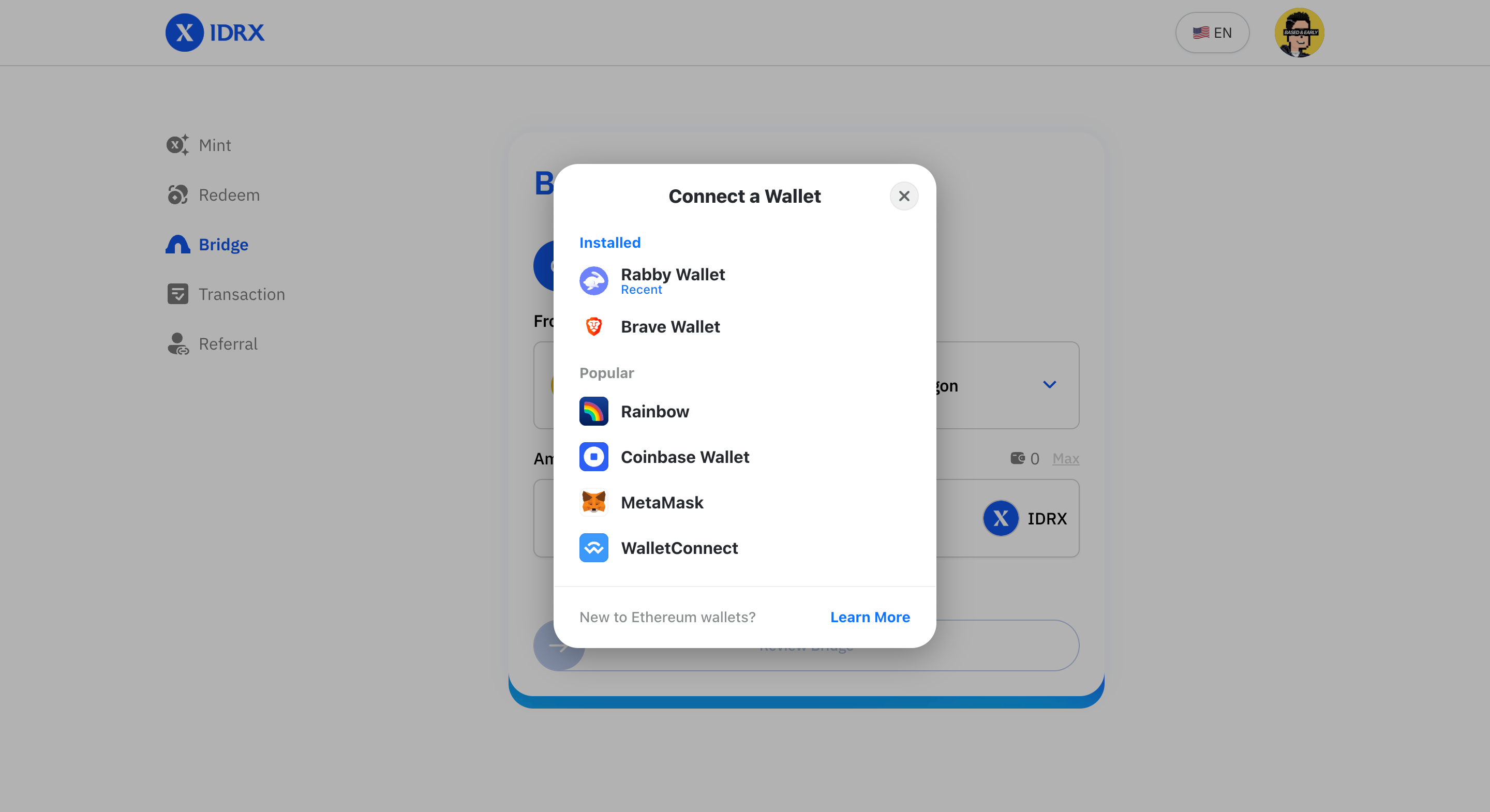
5. A pop-up will appear, displaying options for your Web3 wallet. Choose the wallet you are using.

   <figure><img src="https://3627254584-files.gitbook.io/~/files/v0/b/gitbook-x-prod.appspot.com/o/spaces%2FaxcQeErhSMXyyLFdF0D5%2Fuploads%2FO6OOS4Yp5hsix6Pny1CZ%2Fimage.png?alt=media&#x26;token=8719da0a-0c82-4de1-8148-f65efd0642a4" alt=""><figcaption></figcaption></figure>

**Selecting the Network**

6. Choose the desired blockchain network from the options provided.

   <figure><img src="https://3627254584-files.gitbook.io/~/files/v0/b/gitbook-x-prod.appspot.com/o/spaces%2FaxcQeErhSMXyyLFdF0D5%2Fuploads%2FKHE6kDH6DWYno07xOTY8%2Fimage.png?alt=media&#x26;token=2de8548a-2f61-4940-b025-2716d1f96cf8" alt=""><figcaption></figcaption></figure>
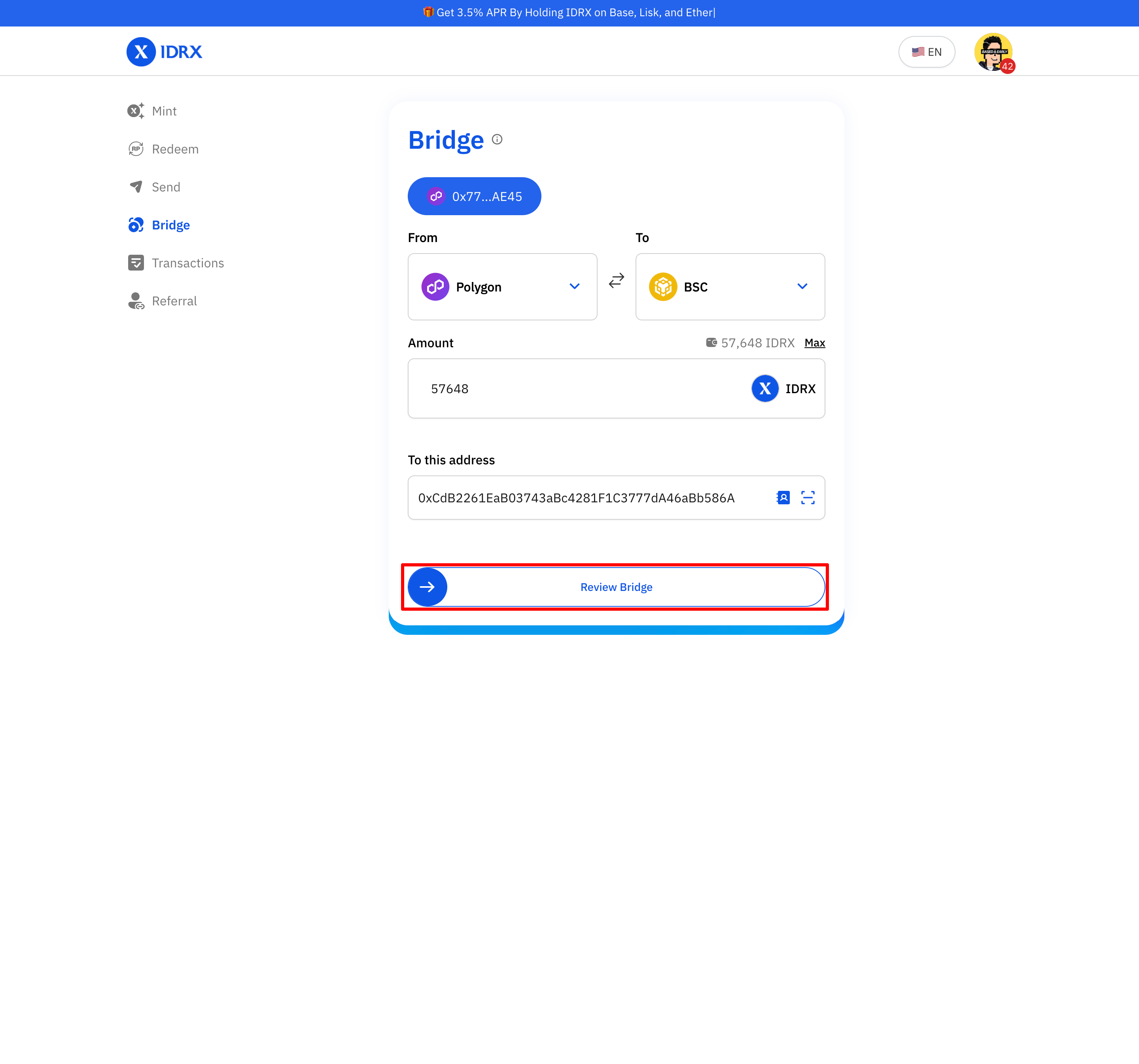
7. Enter the quantity of IDRX tokens you want to convert and the recepient address.

   <figure><img src="https://3627254584-files.gitbook.io/~/files/v0/b/gitbook-x-prod.appspot.com/o/spaces%2FaxcQeErhSMXyyLFdF0D5%2Fuploads%2F6F8MURuNKSQbB04T029r%2Fimage.png?alt=media&#x26;token=ee214253-213b-4310-8430-693165bc690d" alt=""><figcaption></figcaption></figure>
8. Click on "Review Bridge" to proceed with the process.

   <figure><img src="https://3627254584-files.gitbook.io/~/files/v0/b/gitbook-x-prod.appspot.com/o/spaces%2FaxcQeErhSMXyyLFdF0D5%2Fuploads%2Fln3627upIy7aIERmptkJ%2Fimage.png?alt=media&#x26;token=d46f808a-eaa4-4a16-b186-169ba8a91c7d" alt=""><figcaption></figcaption></figure>

**Confirming the Bridge Process**

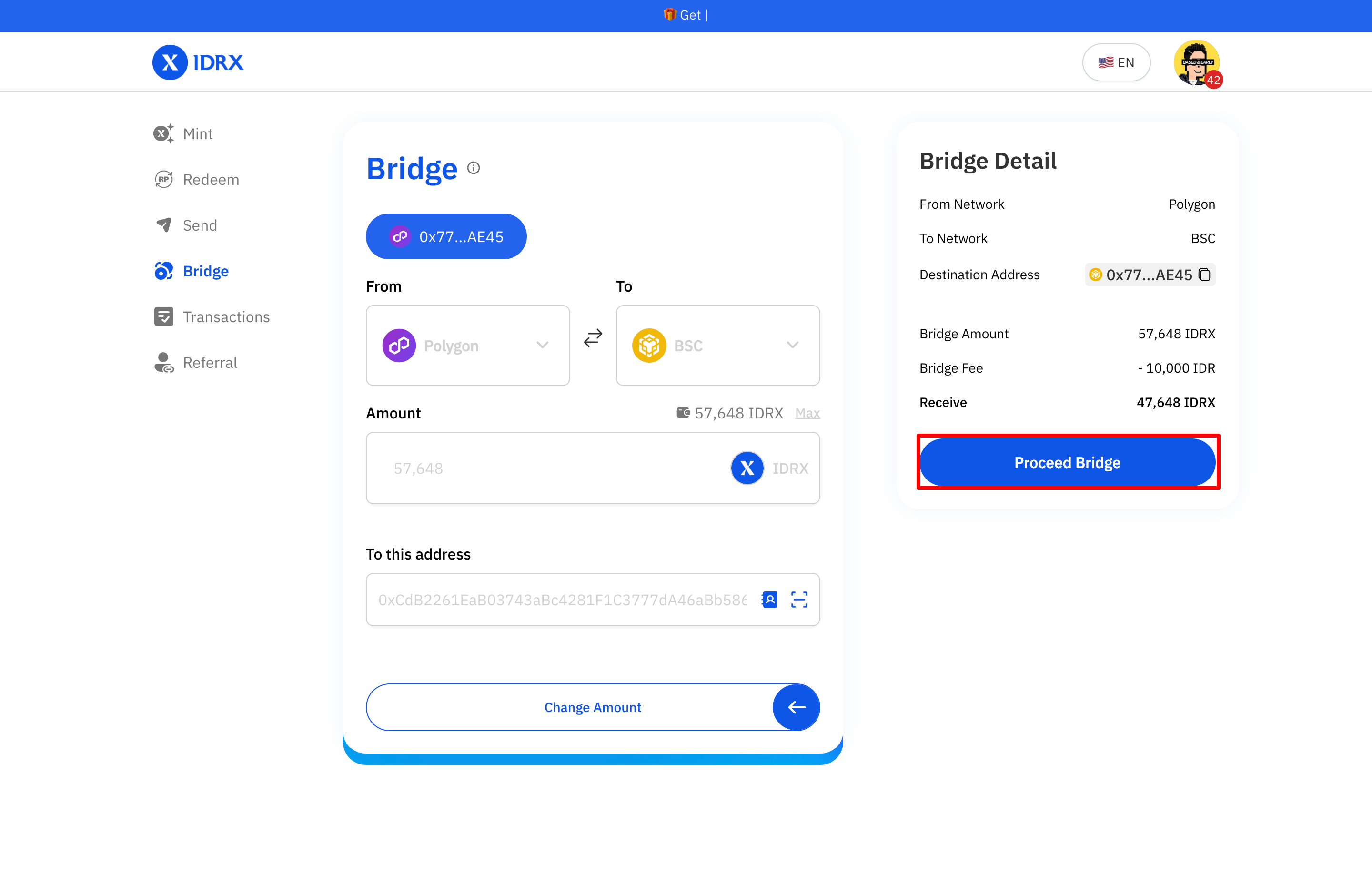
9. You will be see redeem detail. If everything is correct. Click on "Proceed Bridge."<br>

   <figure><img src="https://3627254584-files.gitbook.io/~/files/v0/b/gitbook-x-prod.appspot.com/o/spaces%2FaxcQeErhSMXyyLFdF0D5%2Fuploads%2FbsLF7CbZxmRUycaXx1gi%2Fimage.png?alt=media&#x26;token=83f15f3d-1904-4c66-aa75-ebcaecb5e0f8" alt=""><figcaption></figcaption></figure>
10. Sign the transaction in your wallet. Ensure you have a sufficient gass fee balance to confirm the redeem process.\
    ![](https://3627254584-files.gitbook.io/~/files/v0/b/gitbook-x-prod.appspot.com/o/spaces%2FaxcQeErhSMXyyLFdF0D5%2Fuploads%2F2GIBdR0OZfMQHO69BQuI%2Fimage.png?alt=media\&token=293110d1-4b5d-4e2f-88ec-1d8d9750ff27)

**Transaction Confirmation**

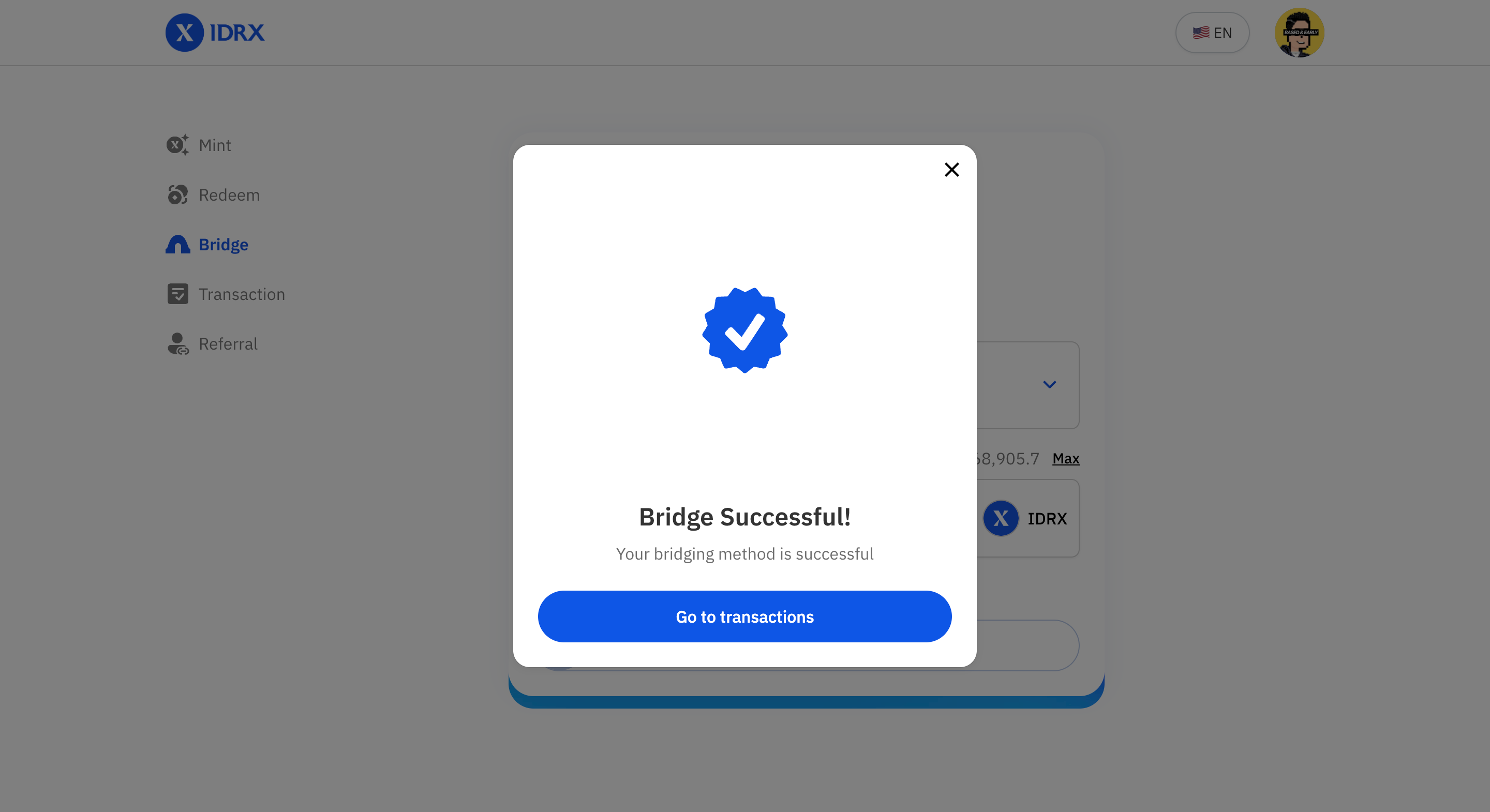
11. If the transaction is successful, a notification will appear on your screen.

    <figure><img src="https://3627254584-files.gitbook.io/~/files/v0/b/gitbook-x-prod.appspot.com/o/spaces%2FaxcQeErhSMXyyLFdF0D5%2Fuploads%2FcrZFa3MyZpOatW0xtbjE%2Fimage.png?alt=media&#x26;token=a99071a8-fa26-4d29-8841-747a1c5cad60" alt=""><figcaption></figcaption></figure>
12. To check the bridge status, go to the Dashboard and select "Bridge." Wait until the status changes to "Success."

    <figure><img src="https://3627254584-files.gitbook.io/~/files/v0/b/gitbook-x-prod.appspot.com/o/spaces%2FaxcQeErhSMXyyLFdF0D5%2Fuploads%2FUkVFSNPhlhrrlT8U1YpO%2Fimage.png?alt=media&#x26;token=134b62ba-65b6-4f47-960c-d21ea0d5dd9e" alt=""><figcaption></figcaption></figure>

**Importing Tokens to Your Wallet**

10. Make sure you have imported the tokens into your wallet to view the updated IDRX balance. You can do so in the Mint/Redeem page and clicking the "+" button

    <figure><img src="https://3627254584-files.gitbook.io/~/files/v0/b/gitbook-x-prod.appspot.com/o/spaces%2FaxcQeErhSMXyyLFdF0D5%2Fuploads%2FbgT5hLOwWiIfrzk72dxc%2Fimage.png?alt=media&#x26;token=dafd7e87-a96f-442a-bcef-da21475339d4" alt=""><figcaption></figcaption></figure>
11. If you do not receive IDRX in the destination chain within 24 hours, please contact IDRX customer support at **<support@idrx.co>**.

Congratulations! You have successfully used the IDRX Bridge to convert your tokens.